





New features in the Gospel Library app will help youth and adults in The Church of Jesus Christ of Latter-day Saints more effectively study the gospel at home and participate in their Sunday meetings.
Beginning in September, youth will study a new curriculum based on the expanded “For the Strength of Youth” guide, with supplemental materials in the youth magazine outlining each week’s lesson for the month. Printed copies of the guide were sent to wards and branches, and each household can subscribe to the magazine for free.
This new curriculum can now be found in the Gospel Library app as FSY Sunday Lessons. This feature has quick links to the corresponding monthly chapters of the FSY guide and the supporting FSY magazine articles that provide a deeper study of doctrinal topics for each week.
As youth, parents and leaders sign into the app, a new card will appear on their Home section for quickly accessing this new feature.
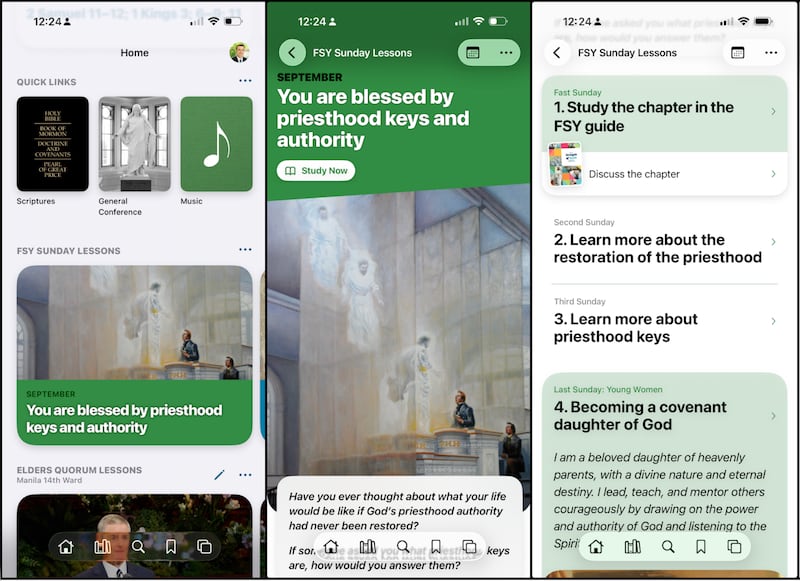
Meanwhile, adults in Relief Society and elders quorum study general conference addresses in their meetings. Users can now swipe right on the Relief Society and elders quorum cards in the Home section to see upcoming lessons in future weeks.
Relief Society and elders quorum presidencies can now select talks from the Home section for each week starting Sept. 13. Entering these weekly talks will help class and quorum members be more prepared to discuss during the shortened class and quorum time together.
Other recent features
Other recently added features to Gospel Library and Member Tools help users find daily inspiration, personalize their experience and serve in their callings.
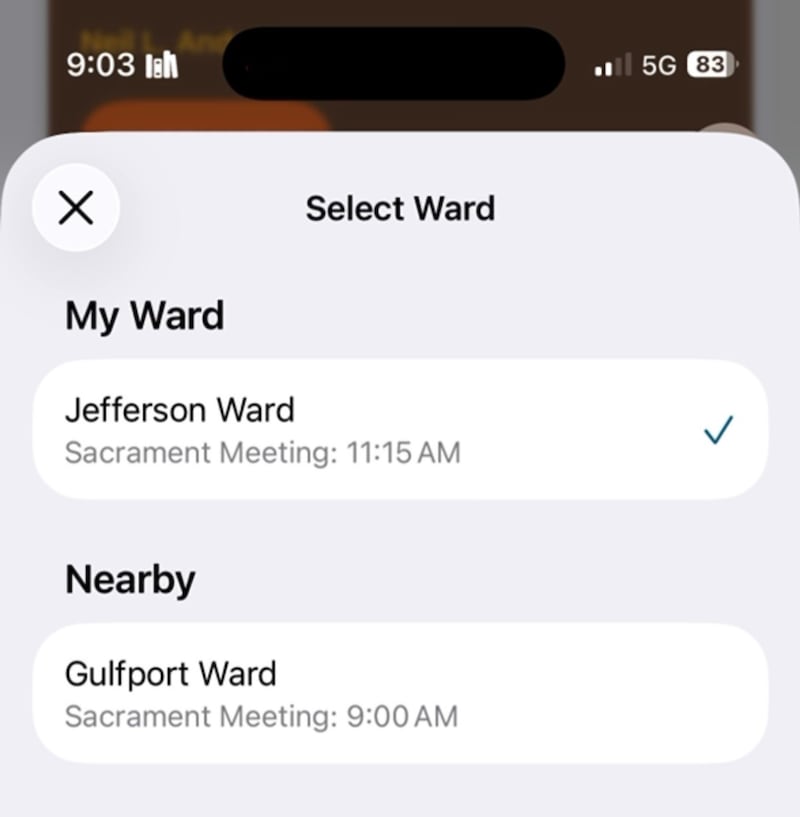
Geolocation features allow people visiting another ward to see the posted hymns and lessons for that ward in the Gospel Library app. On the Hymns card with that week’s songs (usually available right before Church meetings), tap the three dots on the upper-right side, and find wards near the meetinghouse where the person is located. To find the lessons, tap the three dots in the upper-right side of the lessons card, and select ward. These features are especially helpful to missionaries, high counselors, frequent travelers and others who often visit other wards and want to engage more effectively.
An updated Callings card is helpful for members who have callings in multiple wards.
People can also now long press on a card on the Home section and move those around to personalize the order.
A new Image of the Week card on the Gospel Library app Home depicts scenes from the life and mission of Jesus Christ. Users can also add a new Image of the Week widget to their device home screen, which allows them to see the image without needing to open the app.
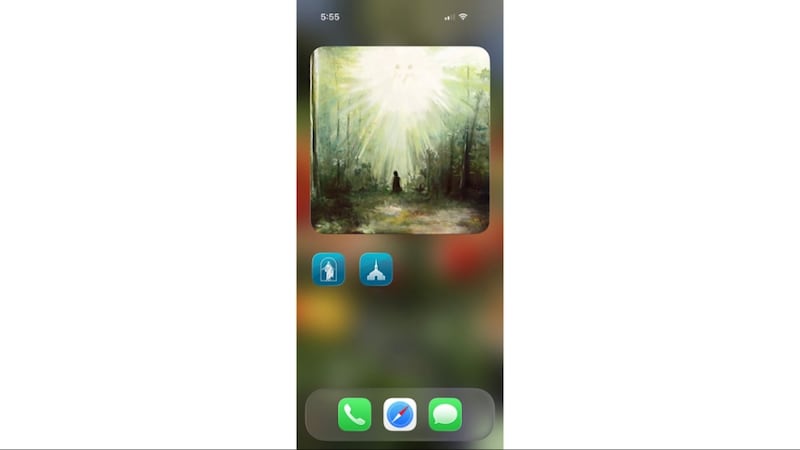
A widget with a scripture of the day from “Come, Follow Me” can also be added to the device home screen.
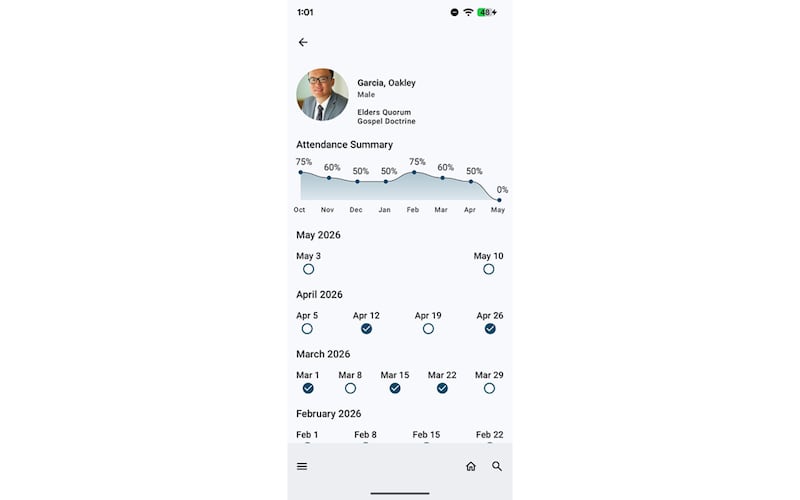
Meanwhile, in the Member Tools app, class teachers and organization leaders can now record teacher attendance right alongside children and youth attendance. Teachers can get a quick, at-a-glance view of class attendance summaries to better support and minister to class members.
Leaders can navigate to Reports in Member Tools and tap Quarterly Report to see attendance organized into categories to help leaders identify needs and minister more intentionally.
And Groups are now called Member Lists in the Member Tools app. These lists allow users to create unique and private lists for personal use, such as people on their ward council, members who volunteered to be substitute teachers, members who live nearby, or parents of children in a Primary class.
Sign in to make the most of Gospel Library
Signing into the Gospel Library app allows users to receive a personalized experience.
Notes, tags, linking, notebooks and study plans are all preserved by signing into the app because they are synced or saved across other devices. For example, if someone signs in with both their phone and their tablet, then whatever they do on either device is available on the other device.
Signing into the app keeps progress in a study plan saved to a member’s Church account, meaning this progress can be accessed on any device — including when logging into a new device.
Users can now more easily create a personal study schedule for their featured study plans. Additionally, users can now share a link to specific study plans, allowing friends or family to follow the same material at their own pace.
And when signed in, users can create Legacy Contacts to allow their family and descendants to access their notes and highlights after their death.
Account support and questions
Users can configure their Church account settings by visiting account.ChurchofJesusChrist.org. Here, they can manage the visibility of personal details, subscribe to emails from the Church, manage a loved one’s account and more. Those who need help creating or recovering a Church account should visit account.ChurchofJesusChrist.org/recovery.
To learn more about what the Gospel Library app offers, look for the “Tip of the Week” on the home screen, or find all educational resources in the Help section. This includes a user guide, FAQ and short educational videos. Navigate to the icon or the user’s photo in the upper-right corner of the app, and tap Help.
To help people know if they are signed in, the Home section of the app now shows the user’s photo if signed in; if not signed in, a generic profile icon is there instead.
Members can submit suggestions for feature improvements or ask for help on how to use the app through the Send Feedback option, where service missionaries can respond to submitted requests.
