





New music features have been added to the Gospel Library app, making it easier for users to find and organize their favorite Church music, according to a news release on ChurchofJesusChrist.org.
The purpose of these changes is to encourage members to incorporate sacred music into their worship inside and outside of their religious responsibilities. Among these updates, the Church added featured playlists, topic-based search, new audio type selection, stake conference hymn board, a metronome tool and guitar chord notation.
Featured playlists
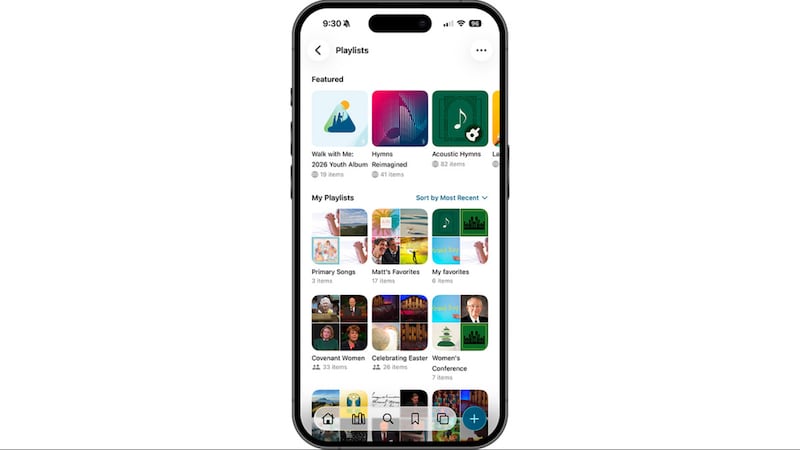
Featured playlists are premade playlists that the Church created based on what the release said are needs of Church members around the world. They can be found in the Playlist section of the home screen, above users’ personal playlists.
These collections may be helpful to those looking for a quick playlist without the need to create a new song queue.
Topic-based search
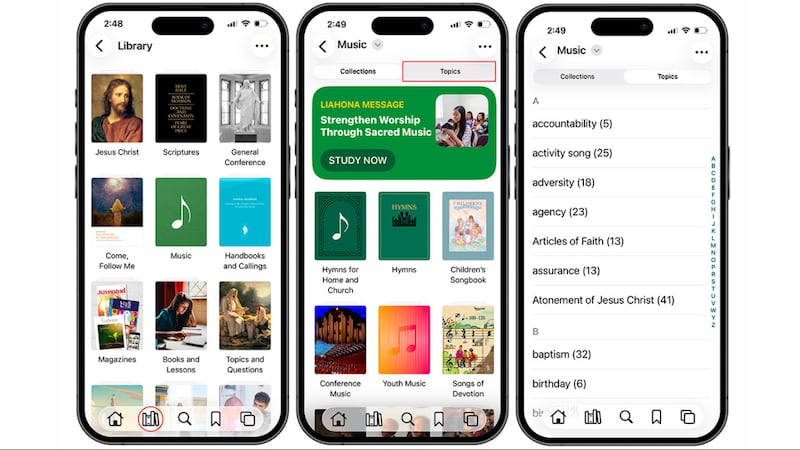
Topic-based search is a new tool that organizes sacred music into categories based on themes. This search bar is located on the top right of the screen in the Music section and allows the listener to find music based on their individual needs and desires.
Audio type selection
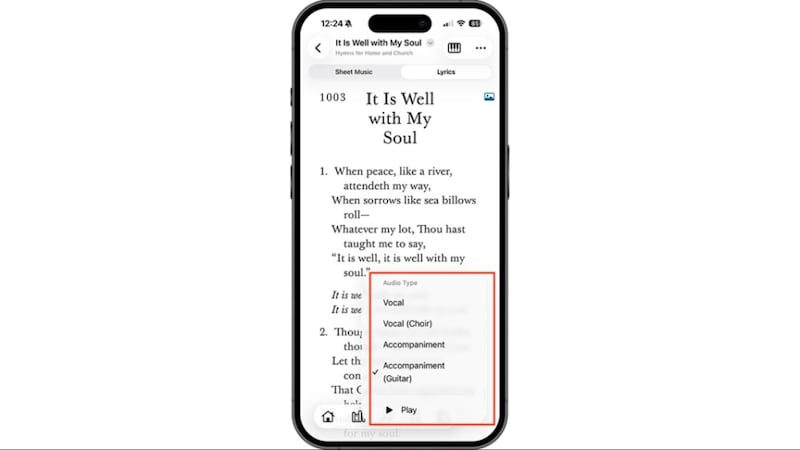
Previously when listening to hymns, the audio type would default to vocal. Now, when a user clicks the headphones icon on the bottom right of the screen, the Gospel Library app immediately asks the user to select an audio type between vocal and accompaniment for regular hymns. For all music in the new hymnbook, “Hymns for Home and Church,” the user may also choose to listen to the choir version and the guitar accompaniment.
Hymn board for stake conferences
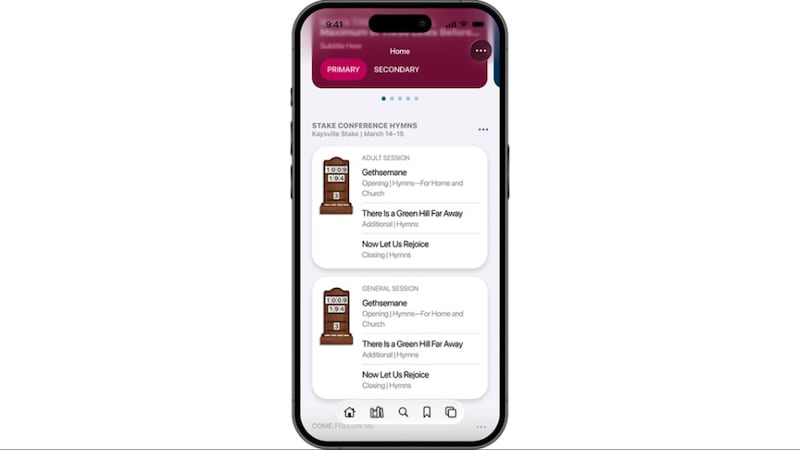
The hymn board feature on the home screen was recently updated for use during stake conference. During sessions of stake conference, members who are signed in using their Church accounts may access hymns for their meetings just as they do for sacrament meetings. These hymns may be posted by the stake executive secretaries and clerks, stake music coordinators and stake presidency members.
Metronome tool and guitar chord notation
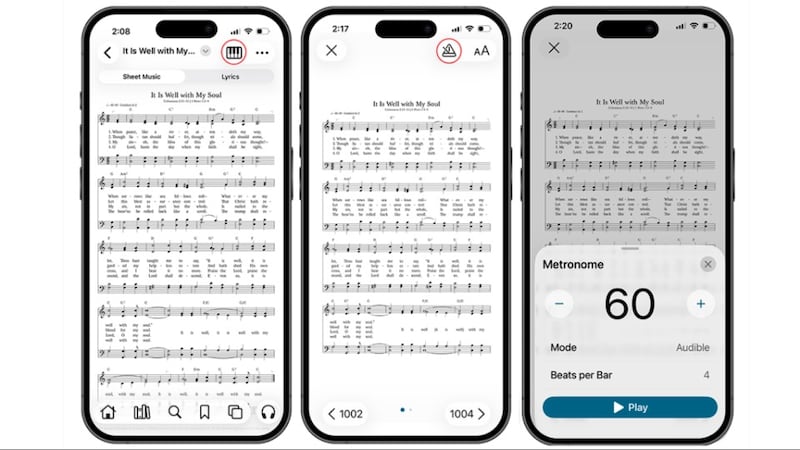
In accompanist mode, a metronome tool has been added to the top right of the screen. This feature allows musicians to adjust the tempo, mode and beats per bar.
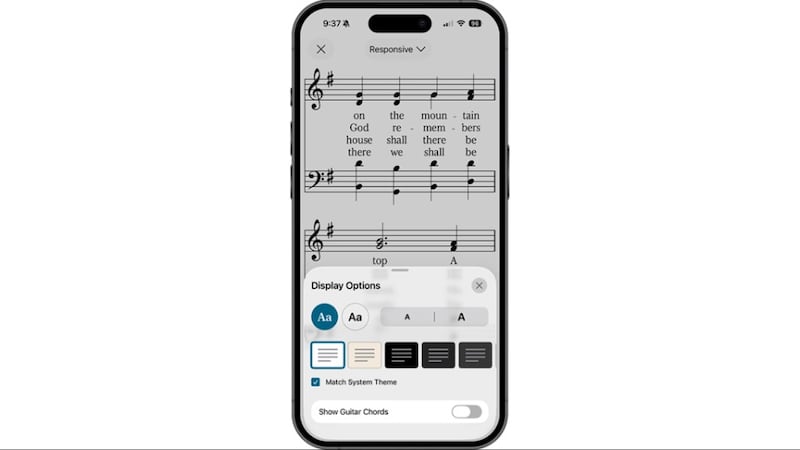
Guitar chord notation is also included in all new music in the “Hymns for Home and Church.” This notation may be selected in Display Options.
