





Beginning in September, wards will again meet weekly for all of their Sunday meetings, with 25-minute youth and adult Sunday School classes and 25-minute Relief Society, elders quorum, Young Women and Aaronic Priesthood quorum meetings.
In speaking about this change, leaders of The Church of Jesus Christ of Latter-day Saints have explained how preparation by the teachers and the class members at home is key to a better experience.
Youth and adults can prepare for Sunday School by studying the chapters of scripture for that week’s “Come, Follow Me” lesson. Adults can prepare for Relief Society and elders quorum meetings by reading the general conference talk chosen for that Sunday’s discussion. Youth can prepare for Young Women classes and Aaronic Priesthood quorum meetings by studying that month’s chapter in the “For the Strength of Youth” guide and the supplemental weekly materials in For the Strength of Youth magazine.
All of these resources are found in the Gospel Library app and can be found or placed in the app’s Home screen to be more accessible for use at home and church. To edit the Home screen, scroll to the bottom and tap “Edit Home.” Tap the plus (+) button to add items. Then hold the three-line icon in iOS devices or two-line icon on Android devices next to any tile to drag and reorder items on the Home screen.
How-to videos can be found in the Help section and are linked here.
Sunday School
The Come, Follow Me card on the Home screen of the Gospel Library app links directly to that week’s lesson in the “Come, Follow Me” manual. Thus a user could open the Gospel Library app, tap on the card and go right to that week’s study guide.
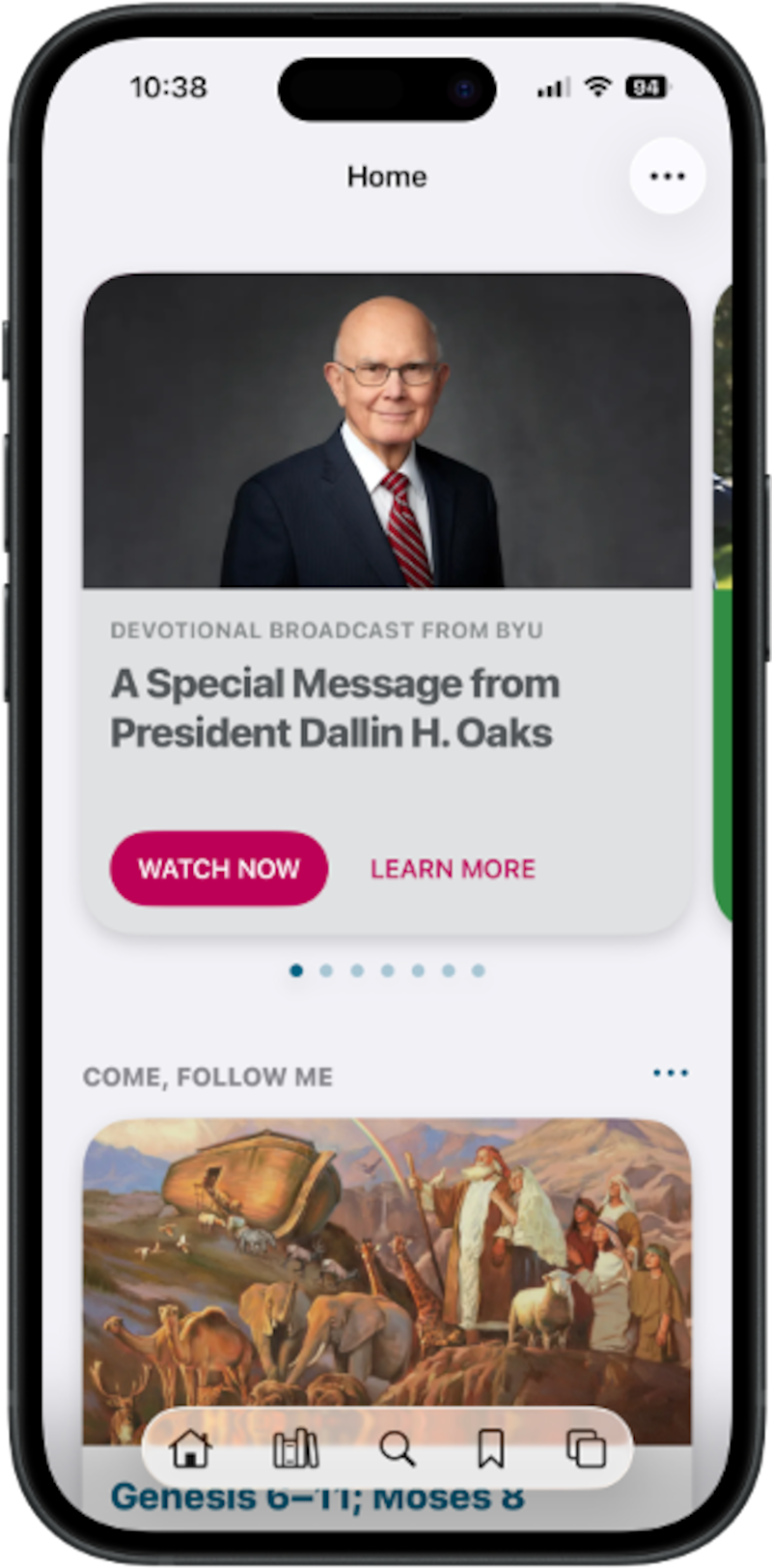
There’s also a Verse of the Day widget in Home that can also be added to a device’s Home screen outside of the Gospel Library app. This scripture verse comes from the weekly “Come, Follow Me” reading. To add it, press and hold on the mobile device’s Home screen, select the widget menu, search for Gospel Library, and choose the Verse of the Day widget to place it on the screen.
Youth and adults will be meeting for Sunday School weekly now instead of every other week. The instructional video about Sunday School explains that this time on Sundays is meant to support what’s happening at home. The narrator says: “As we prepare each week by studying the scriptures at home and using the ‘Come, Follow Me’ resource, we can learn with the Spirit guiding the conversation at church.”
Before, when meeting every other week, the teacher was going over two weeks’ worth of material. Now, meeting weekly allows the material studied that week at home to be discussed that same Sunday.
Relief Society and elders quorum
Each week from now on, men and women will meet in elders quorum and Relief Society, respectively, and discuss a general conference talk. These are found for each ward in the Relief Society Lessons and Elders Quorum Lessons cards on the Home screen of the Gospel Library app.
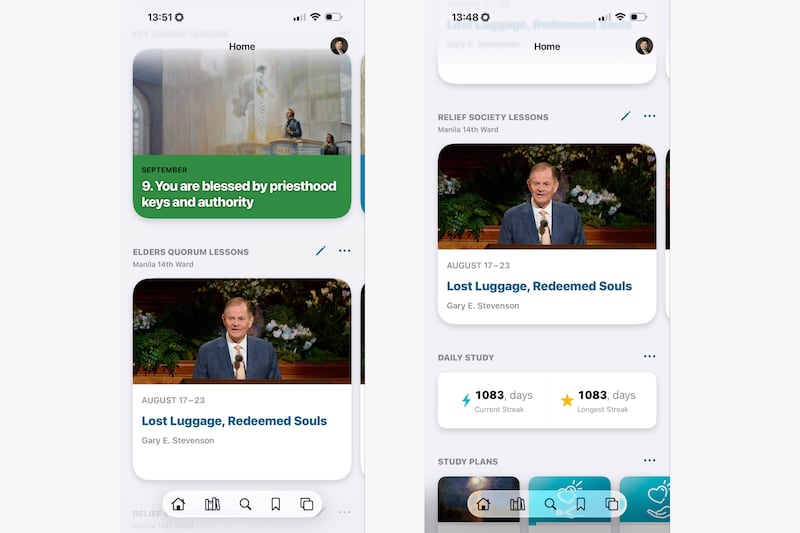
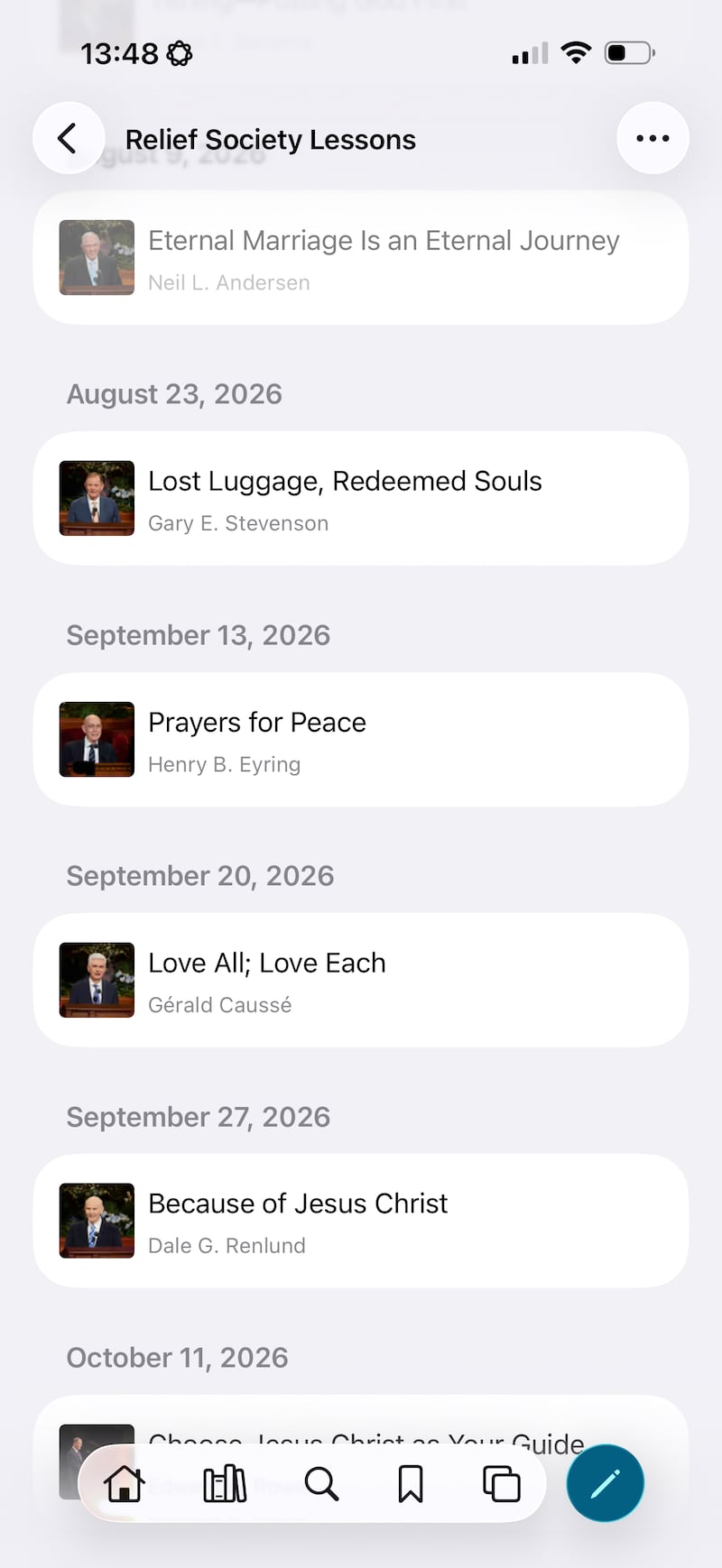
The latest update to the Gospel Library app now allows users to swipe right to see the talks for future weeks, starting Sept. 13.
But users can see those lessons only if their ward Relief Society and elders quorum presidencies select those talks and enter them. Entering these weekly talks will help class and quorum members be more prepared for discussion during the shortened class and quorum time together.
Members of ward or branch organizational presidencies who have signed into their app will see a Callings card on the Home screen. Pressing on that will allow them to enter the talks for the coming weeks.
In a video in the Help section of Gospel Library app, Relief Society General President Camille N. Johnson walks users through how to add those talks.
“Leaders and members can also set notifications for reminders,” she said in the video. “This provides opportunities for individuals to prepare ahead of time and will enhance the gospel learning and living in class, quorums and in the home.”
The General Handbook explains that ward Relief Society presidencies and elders quorum presidencies should prayerfully select the talks from the most recent general conference. Said President Johnson, “As you prayerfully consider the general conference talks to be addressed in your quorums and classes, I am confident that the members will draw closer to our Savior.”
Meanwhile, in a video on Relief Society Worldwide social media accounts, Sister Kristin M. Yee, second counselor in the Relief Society general presidency, said the General Handbook does not say whether ward Relief Society and elders quorums should select the same general conference talks to discuss each week.
“This is up to you,” Sister Yee said. “You can counsel about this together. Will this help meet the needs in your ward?”
In the Church’s instructional video about Relief Society and elders quorum, a man shares how he accepted his ward elders quorum president’s reminder to read the conference talk before Sunday and how it changed the meeting’s experience for him. “There was a spirit there right from the start,” he says, adding: “I have a renewed commitment to prepare each week before my meetings. I know if I do, the Lord will help strengthen me.”
To support elders quorum and Relief Society classes, the Church News has published lesson resources on messages from the April 2026 general conference. These are meant to be a starting point and not a lesson plan.
Youth
As reported previously by Church News, the new youth curriculum can be found in the Gospel Library app as FSY Sunday Lessons. This feature has quick links to the corresponding monthly chapters of the “For the Strength of Youth” guide and the supporting For the Strength of Youth magazine articles that provide a deeper study of doctrinal topics for each week.
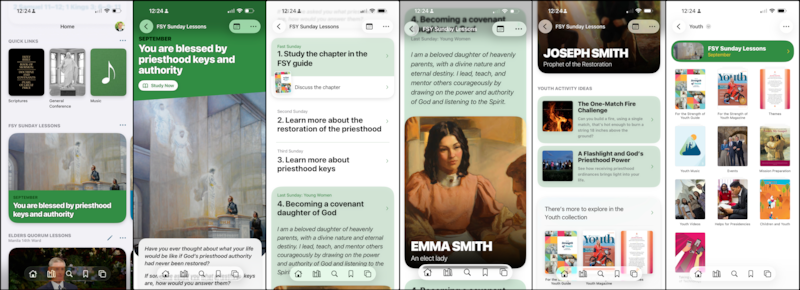
Navigate to Library, then click on the Youth collection. At the top is an FSY Sunday Lessons banner that users can tap on and see all the content aggregated. This banner takes people to the same content as the Home section banner.
The FSY Sunday Lessons section has that month’s chapter of the FSY guide and the lessons for each Sunday: Fast Sunday, Second Sunday, Third Sunday and Last Sunday.
As youth, parents and leaders sign into the app, a new card will appear on their Home section for quickly accessing this new feature.
Sign-in and account support
Signing into the Gospel Library app allows users to receive a personalized experience.
Notes, tags, linking, notebooks and study plans are all preserved by signing into the app because they are synced or saved across other devices. For example, if someone signs in with both their phone and their tablet, then whatever they do on either device is available on the other device.
Signing into the app keeps progress in a study plan saved to a member’s Church account, meaning this progress can be accessed on any device — including when logging into a new device.
To learn more about what the Gospel Library app offers, look for the “Tip of the Week” on the app’s Home screen, or find all educational resources in the Help section. This includes a user guide, FAQ and short educational videos. Navigate to the icon or the user’s photo in the upper-right corner of the app, and tap Help.
Members can submit suggestions for feature improvements or ask for help on how to use the app through the Send Feedback option, where service missionaries can respond to submitted requests.
